
3,600+ WordPress sites were one update away from a 9.8-critical backdoor — and not a single one received it. On November 22, 2026, an attacker pushed poisoned releases of six popular WP Connect plugins. The code was live on WordPress.org, the update was ready to ship, and then nothing happened. No site was infected, no database was dumped — because WordPress Protect The Shire held the releases for six hours, long enough for the Plugins Team to shut it down.
That is the story most site owners missed. The headlines focused on the backdoor, but the real news was the safeguard that caught it: WordPress Protect The Shire stopped an attack that should have hit thousands of sites. In this guide, you will learn what it is, how it stopped the WP Connect plugins backdoor, and how to run a 2-minute check on your site.
What Is WordPress Protect The Shire?
WordPress Protect The Shire is a safeguard built into WordPress.org that holds every new plugin and theme release for a short cooling-off period before distribution through automatic updates. It was announced on June 5, 2026, by the WordPress.org Meta team, aiming to make all roughly 78,000 plugins and themes on WordPress.org as secure as possible.
The name is a Tolkien hat-tip — protecting the home turf of ordinary folk from dangers they never see. WordPress Protect The Shire works quietly in the background: site owners never see it, never configure it, and never click anything to turn it on. It stands between a developer’s release button and your site’s update screen.
Before WordPress Protect The Shire existed, a plugin release went out almost immediately — a developer clicked publish, and sites with automatic updates picked it up within hours. If a developer’s account was compromised, poisoned code could spread to thousands of sites before anyone noticed. The safeguard changed that math: every release now waits, starting at up to 24 hours in June 2026 and cut to 6 hours before July 18, 2026.
Key takeaway: WordPress Protect The Shire is not a plugin you install. It is a gate built into WordPress.org itself.
How the 6-Hour WordPress Plugin Cooldown Actually Works
The core of WordPress Protect The Shire is the WordPress plugin cooldown — a mandatory waiting period before a new release becomes available through automatic updates.
That delay gives WordPress Protect The Shire time to inspect the code before it reaches your site. In the old system, a poisoned release raced ahead of every defender. Under WordPress Protect The Shire, the release waits, and the defenders get first move.
The 6-hour figure is not arbitrary. Patchstack’s State of WordPress Security 2026 report (February 25, 2026) puts the median time from public disclosure of a high-impact vulnerability to mass exploitation at just 5 hours. A 6-hour hold puts defenders roughly on par. That honesty matters: the safeguard buys time; it does not guarantee safety.
Gandalf: The Automated Reviewer Inside WordPress Protect The Shire
On September 9, 2026, WordPress Protect The Shire got a major upgrade. Every plugin release is now analyzed during the cooldown by several AI models plus Jetpack Scan. High-risk releases are blocked automatically from the update API.
David Perez, co-lead of the WordPress.org Plugins Team, announced the upgrade on the Make WordPress Plugins blog. The automated reviewer is nicknamed “Gandalf” — a Wapuu, the WordPress mascot — because he stands in the way and says, in effect, this code shall not pass.
This is what makes WordPress Protect The Shire more than a simple timer. A timer alone would only delay a bad release by six hours. The automated review inspects the code during those six hours — obfuscated code, unexpected network calls, eval() usage, new files that do not belong — and a flagged release never enters the update feed.
The Proof Case: The WP Connect Plugins Backdoor of November 22, 2026
Everything about WordPress Protect The Shire was theory until November 22, 2026. That Sunday afternoon, it became proof.
At around 4:30 PM US Eastern time on November 22, 2026, an attacker using the compromised WP Connect developer’s WordPress.org account pushed backdoored releases of six plugins within about two hours. Air WP Sync alone received four releases — versions 2.9.1 through 2.9.4 — in roughly 30 minutes. That pace is not normal development — it is someone in a hurry.
The six plugins had more than 3,600 active installations, according to Wordfence’s analysis. Before the safeguard, a release pushed at 4:30 PM would have reached every auto-updating site on its next update check. Instead, the releases sat in the cooldown, and the Plugins Team detected the attack and closed all six the same evening.
No confirmed site takeover has been reported so far. That sentence is the whole story. A WordPress supply chain attack in November 2026 with a 9.8 severity rating, aimed at thousands of sites, reached none of them — because WordPress Protect The Shire held the door. Wordfence’s PRISM system independently flagged the code, and researcher Computeronfire independently discovered the Air WP Sync backdoor. The Hacker News reported the incident on November 25.
The vulnerability was assigned CVE-2026-135202, rated CVSS 9.8 Critical and classified as CWE-506 Embedded Malicious Code. The NVD published the CVE record on November 23, 2026, and Wordfence published the CVE record on November 23 at 16:50 UTC, citing Wordfence as the source.
A Concrete Example: The Store Owner Who Never Knew
Picture a small US store owner running WooCommerce. She sells handmade candles online and uses Orders Sync to Airtable for WooCommerce to push every new order into Airtable. She has automatic updates on, because she is busy running a business. On November 22, at 4:30 PM Eastern, a backdoored version of her sync plugin was published. In the old world, her site would have pulled that update overnight, and the backdoor would have been live on her store by Monday morning. In the real world, WordPress Protect The Shire held that release. Her site never saw it. That is the best kind of security story: nothing happens to you, and you never even know how close it came.
What the Backdoor Actually Did: The Air WP Sync Backdoor Explained
Understanding what the Air WP Sync backdoor would have done helps you understand why the block mattered. This was deliberate malicious code, planted with intent — not a minor vulnerability or a coding mistake.
Each backdoored release added one file: includes/airwp-online.php, disguised as an “Online module (Analytics & Auto-Update).” The file was loaded via require_once in the plugin’s main file, so it ran every time WordPress loaded — on the init hook and on a half-hourly WP-Cron event (airwp_tick and airwp_persist_tick).
Once running, the backdoor phoned home. It sent the site URL, PHP version, WordPress version, operating system version, and server username to a command-and-control server at tascredit-pay.com, with TLS certificate verification disabled. Then it executed the PHP code the server sent back, using eval().
That is full remote control. With eval() on tap, an attacker could run shell commands, read, write, and delete files, query database tables, dump the users table including password hashes, and drop a webshell into wp-content/uploads. One poisoned update, and the attacker owned the site. The release before each backdoored version is clean, according to Wordfence.

The Six Backdoored Plugins: Full Comparison Table
Here is the complete list of the six plugins caught in the WP Connect plugins backdoor incident, with the backdoored versions, their slugs, and what each plugin does.
| Plugin | Backdoored Version(s) | Slug | What It Does |
|---|---|---|---|
| Air WP Sync – Airtable to WordPress | 2.9.1–2.9.4 | air-wp-sync | Syncs Airtable data into WordPress |
| WP Sync for Notion – Notion to WordPress | 1.7.4 | wp-sync-for-notion | Syncs Notion pages into WordPress |
| Add-on Brevo for Gravity Forms | 2.6.3 | addon-gravityforms-sendinblue-free | Connects Gravity Forms to Brevo (formerly Sendinblue) |
| Add-On for Contact Form 7 to Airtable | 2.5.4 | add-on-cf7-for-airtable | Sends Contact Form 7 submissions to Airtable |
| Add-On for Contact Form 7 to Notion | 1.6.4 | add-on-cf7-for-notion | Sends Contact Form 7 submissions to Notion |
| Orders Sync to Airtable for WooCommerce | 1.0.2 | orders-sync-to-airtable-for-woocommerce | Syncs WooCommerce orders to Airtable |
The pattern is clear: every one of these plugins connects WordPress to an outside service — Airtable, Notion, Brevo, WooCommerce order data. A sync plugin already has permission to move data around, so malicious code hiding inside one looks less suspicious. And because they handle real business data, a compromise would have exposed exactly what an attacker wants most.
The WordPress.org Plugins Team closed all six on November 22, 2026. The closure notice reads: “This plugin has been closed as of November 22, 2026, and is not available for download. This closure is permanent.” There is no patched version — this was deliberate malicious code, not a bug. If you run one, remove it and replace it — see below.
How to Check If a WordPress Plugin Is Backdoored: The 2-Minute Check
Here is the good news: your site is almost certainly safe from this specific attack, because WordPress Protect The Shire blocked the releases before distribution. But “almost certainly” is not “certainly,” and the check takes two minutes. Run it now.
Step 1: Check Your Dashboard
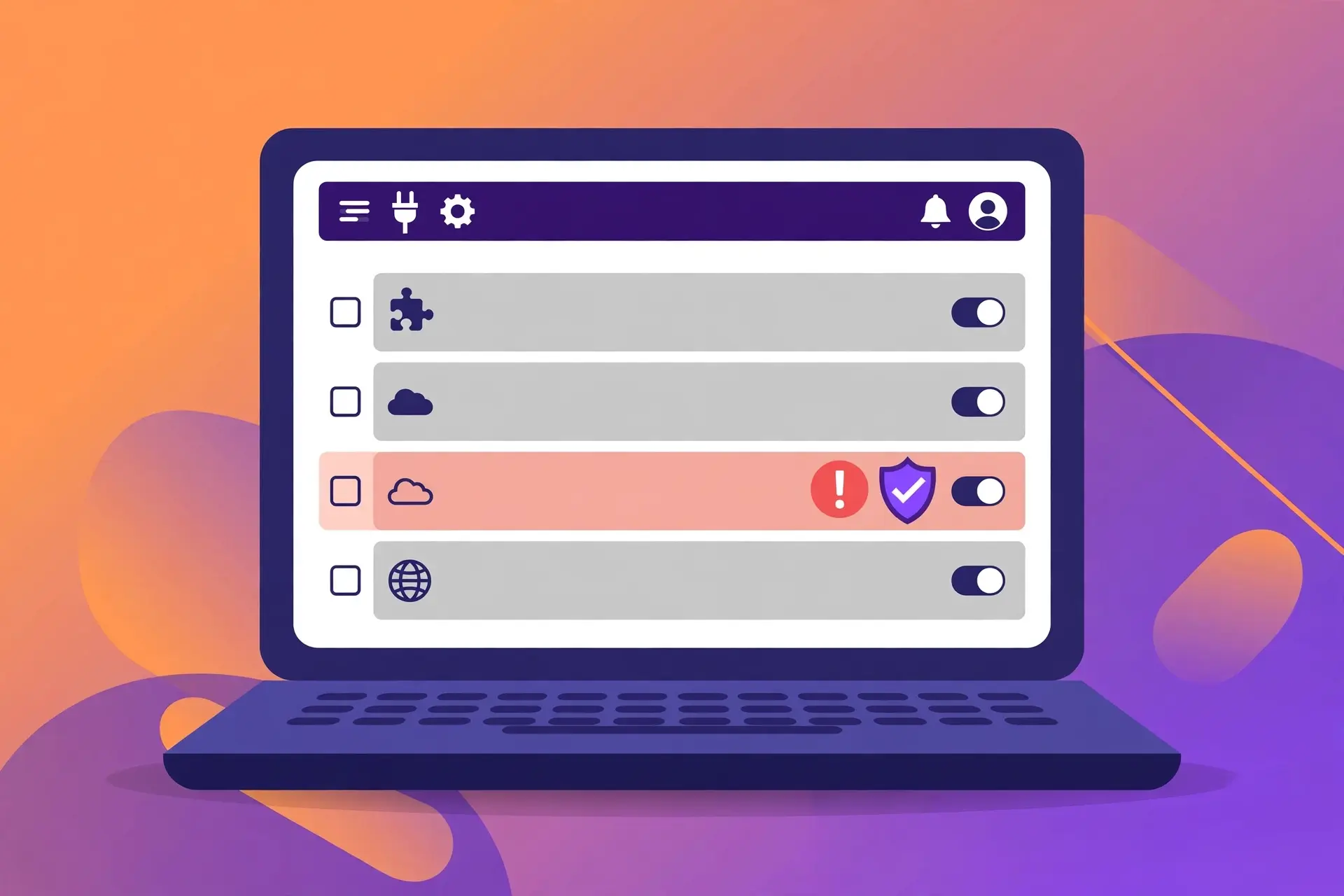
In your WordPress admin, go to Plugins > Installed Plugins and search for “Airtable,” “Notion,” and “Brevo” — those three words catch all six plugins. Compare any match against the backdoored versions in the table. A matching version means moving to the cleanup section immediately. An older version is clean, according to Wordfence — but still remove the plugin, because it is permanently closed and will never receive updates again.
Step 2: Search Your Server for the Backdoor File
The backdoor always added the same file, so a server-side search is definitive. Connect over SSH or use your hosting file manager, and run this command from your WordPress root directory:
find wp-content/plugins -name "airwp-online.php"
Any result is a problem. A clean site returns nothing at all. This single command is the fastest way to answer how to check if a WordPress plugin is backdoored in this incident — the file either exists on your server, or it does not.
Step 3: Check With WP-CLI
If your host offers WP-CLI, you can check versions and leftover traces in seconds. First, list your plugins and versions:
wp plugin list --fields=name,version
Look for the six slugs from the table — air-wp-sync, wp-sync-for-notion, addon-gravityforms-sendinblue-free, add-on-cf7-for-airtable, add-on-cf7-for-notion, and orders-sync-to-airtable-for-woocommerce — and compare their versions. Then search your options table for leftover backdoor traces:
wp option list --search="airwp_"
Any rows starting with airwp_ are leftover signs that a bad version ran on your site at some point. A clean site returns nothing.
Step 4: Look for Leftover Signs
If a backdoored version ever ran — even briefly — it may have left traces: wp_options rows starting with airwp_; WP-Cron events named airwp_tick or airwp_persist_tick, which can survive plugin deletion; PHP files inside wp-content/uploads, a classic webshell hiding spot; and requests to tascredit-pay.com in your server logs. If you find any of these, treat the site as compromised and follow the cleanup steps. If you find nothing, run a full malware scan with the free Wordfence scan — WordPress Protect The Shire did its job.
What to Do If You Find a Bad Version
Finding a backdoored version is rare after this incident, because WordPress Protect The Shire blocked the releases. But if your check turns up a match, act in this order — and do not skip steps.
First, take a backup or snapshot before you touch anything. This preserves evidence of what happened, and it gives you a safe rollback point if the cleanup goes wrong. Do not delete files first and back up later — the backup comes first, always.
Second, remove the plugin — do not just deactivate it. Deactivation stops the code from running, but the files stay on your server, and a deactivated backdoor is still a backdoor waiting to be reactivated. Delete it entirely — dashboard or wp-content/plugins folder. There is no patch for CVE-2026-135202. Removal is the fix.
Third, treat the site as compromised. If a bad version ever ran, assume the attacker had full access. Reset passwords — admin, hosting and database credentials, and API keys. Check for webshells and cron hooks that survive plugin deletion. Run a full malware scan. For a deeper walkthrough, our guides on how to check if your WordPress site is hacked and how to remove malware from your WordPress site without a plugin cover each step in detail.
Fourth, replace the integration. If you depended on one of these plugins — syncing WooCommerce orders to Airtable, or Contact Form 7 submissions to Notion — you still need that workflow. Replace it with a maintained plugin, or move the automation to Zapier or Make. Export your field mappings and sync settings first. Our WordPress services team can help with a migration, and you can contact us if you would rather have an expert handle the cleanup.
The Honest Limits of WordPress Protect The Shire
WordPress Protect The Shire stopped a 9.8-critical backdoor cold. That deserves real praise. But an honest guide also says where the safeguard stops — because the gaps are where your site is still exposed.
Premium plugins are not covered. The cooldown applies only to plugins and themes hosted in the official WordPress.org directory. Premium plugins bought direct from a developer or marketplace, hand-installed ZIP files, and custom-built plugins update through their own channels. No cooldown covers them. If a premium vendor’s account is compromised, there is no 6-hour hold and no Gandalf review.
The 6-hour hold is not a guarantee. Patchstack puts the median time from disclosure of a high-impact vulnerability to mass exploitation at 5 hours. The 6-hour hold is the same order of magnitude. It buys time, and in November it bought enough time. But a faster attack, or a subtler backdoor the automated review misses, could still slip through. WordPress Protect The Shire shifts the odds heavily in your favor.
There is no documented fast lane for security releases. When a legitimate developer ships an urgent security fix, that fix waits in the same cooldown as everything else. There is no documented expedited path, which can delay a critical patch by hours.
What This Means for Site Owners Going Forward
The November incident changes how smart site owners should think about plugin updates. Three lessons stand out.
First, the directory is now safer than it was a year ago, and the proof is public. WordPress Protect The Shire turned a theoretical safeguard into a proven one. The safeguard is not a promise on a blog post anymore: six backdoored plugins, 3,600+ installations at risk, zero sites reached.
Second, your update habits still matter. Automatic updates are now safer for directory plugins, because the cooldown and the automated review filter the worst releases before they reach you. But premium plugins carry the same risk they always did. Know which of your plugins come from the directory and which come from elsewhere. Audit your plugin list twice a year.
Third, this story belongs in a cluster, not in isolation. The WP Connect incident landed in the same month as two other major WordPress security stories: the phpAfterShell PHP vulnerabilities and the WordPress core race condition behind CVE-2026-119977. Read our guide on how to fix phpAfterShell and our guide on how to check if CVE-2026-119977 hacked your WordPress site for the full picture. WordPress 7.1.5 arrived November 18, 2026, as a separate security release; WordPress 7.2 is planned for December 8, 2026. Do not confuse that release with CVE-2026-119977, fixed earlier in WordPress 7.1.4.
Frequently Asked Questions About WordPress Protect The Shire
What is WordPress Protect The Shire?
WordPress Protect The Shire is a WordPress.org safeguard announced on June 5, 2026, that holds every new plugin and theme release for a 6-hour cooldown before distribution through automatic updates. During the hold, every release is analyzed by several AI models plus Jetpack Scan — an automated reviewer nicknamed “Gandalf” — and high-risk releases are blocked. It aims to make all roughly 78,000 plugins and themes on WordPress.org as secure as possible. In November 2026 it blocked six backdoored WP Connect plugins before they reached a single site.
What is the WP Connect plugins backdoor (CVE-2026-135202)?
The WP Connect plugins backdoor is a supply chain attack from November 22, 2026, in which an attacker using the compromised WP Connect developer’s account pushed backdoored releases of six plugins, including the Air WP Sync backdoor in versions 2.9.1–2.9.4. The vulnerability, CVE-2026-135202, is rated CVSS 9.8 Critical (CWE-506 Embedded Malicious Code). The backdoor added includes/airwp-online.php, phoned home to tascredit-pay.com, and executed attacker-controlled PHP via eval(). WordPress Protect The Shire blocked the releases before distribution.
How do I check if a WordPress plugin is backdoored?
In your dashboard, search for “Airtable,” “Notion,” or “Brevo,” then compare the installed version against the backdoored versions. Then run find wp-content/plugins -name "airwp-online.php" on your server — any result is a problem. You can also run wp plugin list --fields=name,version and wp option list --search="airwp_" with WP-CLI. Finally, look for wp_options rows starting with airwp_, WP-Cron events airwp_tick or airwp_persist_tick, PHP files in wp-content/uploads, or requests to tascredit-pay.com in your logs.
Does WordPress Protect The Shire cover premium plugins?
No. WordPress Protect The Shire covers only plugins and themes hosted in the official WordPress.org directory. Premium plugins bought directly from a developer or a marketplace, hand-installed ZIP files, and custom plugins update through their own channels and receive no cooldown and no automated review. If you run premium plugins, keep them updated from trusted sources and run your own security scanning.
Is my site safe if I never installed a WP Connect plugin?
Almost certainly yes. WordPress Protect The Shire blocked the six backdoored releases before they were distributed, so sites that never had a backdoored version installed were never exposed. The release before each backdoored version is clean, and no confirmed site takeover has been reported so far. Still, run the 2-minute check above — it turns assuming you are safe into knowing it. If you use a plugin that syncs WordPress with Airtable or Notion, verify the developer and version, and replace anything permanently closed.
Conclusion: WordPress Protect The Shire Earned Its Name
A 9.8-critical backdoor, aimed at more than 3,600 sites, was stopped by a six-hour wait and an automated reviewer named Gandalf. No site was taken over. No store owner lost a night of sleep. That is what WordPress Protect The Shire did on November 22, 2026 — without asking a single site owner to lift a finger.
The lesson is not that WordPress is now invulnerable. The lesson is that the directory now has a safety net, and the net works. Keep directory plugins updating automatically, run the 2-minute check, and remember the limits: premium plugins, custom code, and hand-installed ZIPs are still yours to watch. WordPress Protect The Shire guards the Shire — but you still lock your own front door.
Run the check today. Two minutes, zero excuses, and the peace of mind that the safeguard did its job — verified by you.