The email from your boss sounds exactly like your boss. The voice on the phone sounds exactly like your CFO. The video call looks exactly like your investor. In 2026, none of that proves anything — AI can now fake all three. This guide shows you how to spot AI-powered phishing and protect your money, accounts, and business before a single convincing message costs you.
What Is AI-Powered Phishing?
AI-powered phishing uses artificial intelligence to create realistic, personalized scam attempts. Instead of generic spam, AI tools analyze your social media activity, your email writing style, your contacts and relationships, and your online behavior — then craft customized messages that are almost impossible to distinguish from real communication.
AI Phishing Examples in 2026
- AI-written emails: Perfect grammar and personalized greetings that match your work or private life.
- Voice phishing (vishing): AI voice clones of family members or bosses asking for money or access codes.
- Deepfake video: Fake videos or video calls used to fool employees into sending money or sharing credentials.
- Thread hijacking: A scam reply inserted into a real email conversation about an invoice or deal, so it inherits all the trust of the original thread.
Why AI Phishing Is More Dangerous Than Ever
- Hyper-personalization: Messages reference real details from your life and work.
- Scale and speed: AI can generate thousands of tailored messages in minutes.
- Multichannel attacks: Scammers target you by email, text, WhatsApp, LinkedIn, and phone calls.
- Filter evasion: AI-generated text often avoids spam filters because it does not look like typical spam.
AI Phishing by the Numbers (FBI IC3, 2025 Report)
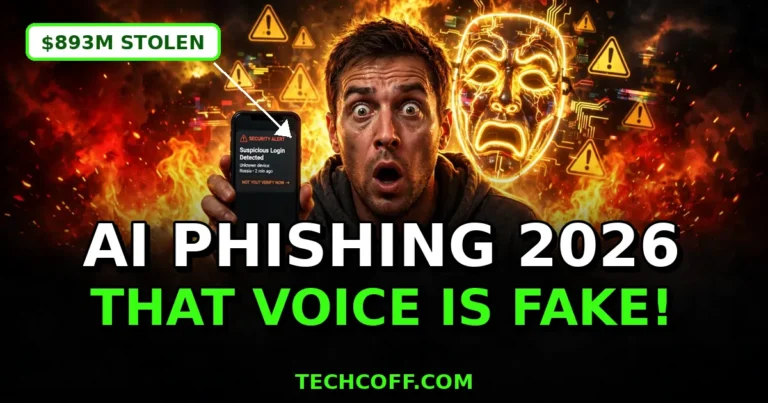
The FBI’s Internet Crime Complaint Center (IC3) 2025 report, released in 2026, puts real numbers on the threat: 22,364 complaints referenced AI, with reported losses over $893 million. Business email compromise (BEC) alone cost victims about $3.05 billion across 24,768 complaints in 2025, including more than $30 million in BEC losses specifically tied to AI — such as AI-generated executive messages and voice cloning. These are reported complaints only; the true total is higher.
How to Protect Yourself From AI-Powered Phishing
1. Strengthen Your Email Security
Use advanced anti-spam filters with AI and machine learning detection (Google Workspace and Microsoft Defender for Office 365 both include these), and keep them updated.
2. Verify Identity Beyond Email
If you receive an unusual request — especially about money, passwords, or gift cards — verify it through a different channel, such as a phone call to a number you already have or an in-person check. Never send money based on an email alone, no matter how real it looks.
3. Train Yourself and Your Team
Run cybersecurity training focused on AI scams. Teach everyone to spot context clues: urgency, secrecy (“do not tell anyone”), unusual payment methods, and requests that break normal process.
4. Enable Multi-Factor Authentication (MFA)
Use authenticator apps like Google Authenticator or Authy instead of SMS codes where possible. Even if a password is stolen, MFA stops most account takeovers. Passkeys are an even stronger option — also see: What Are Passkeys?.
5. Use Anti-Deepfake Checks
For suspicious video or audio, pause and verify through official channels. Agree on a family or team code word for urgent money requests, and call back on a known number before acting.
6. Limit Your Social Media Exposure
Hackers tailor attacks from what you post. Limit public personal details, review privacy settings, and be cautious about sharing travel plans, job changes, and family details publicly.
7. Protect Business Systems
Use Zero Trust principles, enforce DMARC, DKIM, and SPF email authentication so spoofed domains are rejected, and require dual approval for payment and vendor-bank-detail changes. No single person should be able to move money on the strength of one email. Also see: How to Check If Your WordPress Site Is Hacked, Best Free Antivirus for Windows, Services, and Contact.
Best Security Tools Against AI Phishing in 2026
- Proofpoint AI-based threat protection — detects BEC and phishing attempts.
- Darktrace AI — spots unusual communication patterns with machine learning.
- Microsoft Defender for Office 365 — built-in phishing protection for business users.
- Deepfake detection tools such as Reality Defender or Deepware Scanner for checking suspicious media.
Real-Life AI Phishing Patterns in the US
- Deepfake bank scam call: An employee received a call sounding exactly like the CFO instructing a wire transfer. It was AI-generated.
- Fake email from a CEO: Attackers mimicked a CEO’s writing style with AI tools, tricking staff into sharing confidential information.
- Deepfake investor video: A startup was targeted with a fake video of an investor urgently requesting funds.
The pattern is always the same: trust plus urgency plus a payment or credential request. Break any one of those three and the scam fails.
FAQ
Q: Can AI really mimic my boss’s voice? A: Yes. AI voice cloning tools can replicate a voice from just a few seconds of audio, which is why voice alone is never proof of identity.
Q: How do I know if an email is AI-generated? A: You often cannot tell from writing quality anymore. Look for urgency, unusual requests, and mismatched sender details — and verify through another channel before acting.
Q: Are businesses the only targets? A: No. Individuals are targeted too, especially through banking scams, fake delivery messages, and cloned voices of loved ones.
Q: What is the best defense against AI phishing? A: Awareness plus multi-factor authentication plus verified processes: never move money or share credentials on the strength of a single message, however convincing.
Conclusion
AI-powered phishing is one of the most dangerous cybersecurity threats of 2026 because it attacks trust itself — a familiar voice, a familiar thread, a familiar face. Awareness, verification through a second channel, multi-factor authentication, and strong email authentication together cut the risk dramatically. Share this guide with your team and family: the person who pauses to verify is the person who does not get scammed.