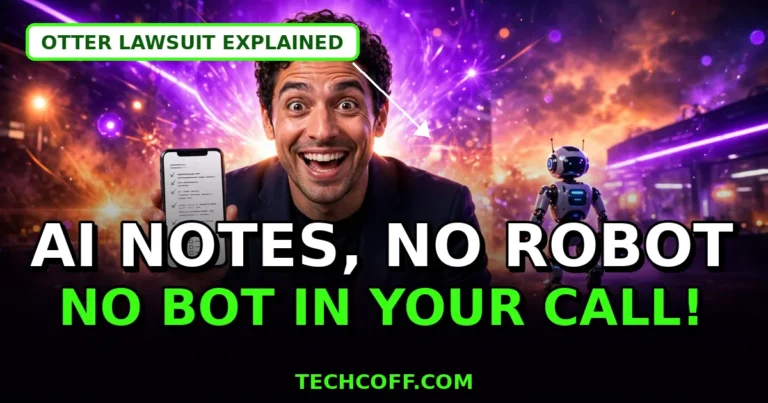
You know that moment when a stranger called “OtterPilot” or “Fireflies.ai Notetaker” pops into your client call, and everyone goes quiet for a second? That awkward pause is exactly why a growing number of professionals are switching to an AI note taker without a bot — a tool that captures your meeting from your own computer instead of sending a robot into the room.
The timing is not a coincidence. In August 2026, a federal court let wiretap and privacy claims proceed against Otter.ai over bot recordings made without participants’ consent, and several companies now block meeting bots outright. Meanwhile, bot-free leader Granola raised $125 million in March 2026 at a $1.5 billion valuation.
Key takeaway: if your meetings involve clients, interviews, or sensitive discussions, a bot-free tool is no longer the niche option — it is quickly becoming the professional default.
What Is an AI Note Taker Without a Bot?
A traditional AI notetaker joins your Zoom, Google Meet, or Teams call as a visible participant. It records from inside the meeting, and everyone sees its name in the participant list.
A bot-free tool works the other way around. It captures the audio playing on your own device — through your speakers and microphone — and turns it into a transcript, summary, and action items. Nobody new appears in the call, nobody has to admit a bot, and nothing gets blocked by a host who bans bots.
There is one honest trade-off: a bot-free tool can only hear meetings you actually attend. A bot can sit in a meeting you skip.
Why an AI Note Taker Without a Bot Is Winning in 2026
Three forces pushed this shift into the mainstream this year: the Otter.ai litigation made companies rethink bot recordings, many hosts now block bots outright, and today’s bot-free apps finally produce clean summaries, decisions, and follow-up tasks from device audio.
Bottom line: the question is no longer whether bot-free notes work — it is which bot-free tool fits your workflow.
Real-world example: picture a freelance consultant pitching a $5,000 project on a discovery call. A bot joining forces an awkward consent conversation before trust is built; a bot-free tool captures the same decisions silently, and the follow-up email lands within the hour with the client’s exact words quoted back.
Best AI Note Taker Without a Bot: 6 Tools Compared
Here are the strongest bot-free options, ranked by what they are actually best at. Prices reflect vendor pages checked in October 2026 and can change, so confirm before you buy. On the classic Granola vs Otter question: pick Granola for client-facing or sensitive calls, and Otter only if you need live transcripts or coverage for meetings you skip.
| Tool | Bot-free? | Free plan | Paid price (annual) | Best for |
|---|---|---|---|---|
| Granola | Yes, always | Yes, 30-day history | $14/user/month | Solo professionals |
| Krisp | Yes, by default | 7-day trial only | $8/month (Core) | Noisy rooms, clean audio |
| Circleback | Yes, desktop mode | Unlimited meetings, 30-day history | $15/user/month (Pro) | Follow-up tasks |
| Jamie | Yes, always | Yes | Paid plans available | Client-facing teams |
| Tactiq | Yes, browser extension | Yes | From $8/user/month | Google Meet users |
| Notion AI Meeting Notes | Yes, desktop app | Trial only | $20/seat/month (Business) | Notion workspaces |
1. Granola — the polished default
Granola is the category leader for a reason. It records system audio on your device, never sends a bot, and enhances the rough notes you type during the call into clean, shareable write-ups. Your own jottings shape the summary, which keeps the output focused instead of bloated.
Watch out for: the free Basic plan keeps notes for only 30 days, and Granola does not store the audio itself — so you cannot replay a questionable transcript against the original recording.
2. Krisp — best audio in noisy rooms
Krisp started as noise cancellation and added meeting notes on top. It captures device audio by default and can send a bot only if you prefer one. If you take calls from a busy office or cafe, its clean-audio advantage is real. Core starts at $8 a month on annual billing, making it the cheapest paid bot-free option.
3. Circleback — best for turning notes into tasks
Circleback offers two modes: a bot, or a bot-free desktop app. Its free plan is unusually generous — unlimited meetings with 30 days of history — and its strength is pushing decisions and action items into Notion, Linear, or your CRM. Pro costs $15 per user a month on annual billing.
4. Jamie — best for client-facing professionals
Jamie is a Berlin-built, bot-free assistant that works across the major meeting platforms. Consultants, recruiters, and agency teams like it because it handles client calls without ever making the client wonder who the extra participant is.
5. Tactiq — best for browser-based Meet calls
Tactiq runs as a Chrome extension and captures live caption text from your browser tab — no bot, no audio stored. It is a strong fit if most of your calls happen in Google Meet in the browser. Note: for Zoom, you must join in the browser (not the desktop app) with captions enabled.
6. Notion AI Meeting Notes — best if you live in Notion
If your team already runs its wiki in Notion, its AI Meeting Notes feature records through the desktop app without a bot and drops the result straight into your workspace. The catch: it requires the Business plan at $20 per seat a month, so it only makes sense for existing Notion teams.
AI Meeting Notes Privacy: What Bot-Free Does Not Fix
Going bot-free is a privacy upgrade, not a privacy pass. Three rules still apply:
- Consent still matters. Recording laws differ by state and country, and several bot-free tools leave in-call consent notices off by default. Tell participants you are taking AI notes — it takes five seconds and protects you.
- Check where notes live. Some tools keep notes in their cloud; a few keep them on your computer only. If you handle confidential work, prefer on-device storage and a vendor that never trains AI models on your meetings.
- Verify before you send. AI summaries still mangle names and numbers occasionally. Skim the transcript for action items and owners before forwarding notes to a client.
FAQ: AI Note Taker Without a Bot
Do AI note-taking apps work without a bot joining the meeting?
Yes. Bot-free tools capture audio from your own device — your computer’s speakers and microphone — instead of joining the call as a participant. Granola, Jamie, Krisp, and Tactiq all work this way, so nothing new appears in the participant list.
Is a bot-free AI note taker legal?
It depends on your location. Recording-consent laws vary by state and country, and going bot-free does not remove the duty to inform participants. Tell everyone you are taking AI notes, and check whether your state requires one-party or all-party consent.
What is the best free AI note taker without a bot?
Circleback’s free plan — unlimited meetings with 30 days of history — is the most generous bot-free free tier. Granola’s free plan is also strong but keeps notes for only 30 days. If you can accept a bot, Fathom’s free unlimited recordings are still the best free deal overall.
Can a bot-free tool record meetings I do not attend?
No — that is the main limitation. A bot-free tool only hears calls you are on, because it captures audio from your device. For meetings you skip, you need a bot-based tool or a platform-native recorder.
Does going bot-free mean my notes are private?
Not automatically. Check where the tool stores notes, whether it trains AI models on your meetings, and whether it offers a consent notice. Some bot-free tools store notes in their cloud; others keep them on your device only.
The Takeaway
The robot guest had its moment — and in 2026, it is overstaying its welcome. An AI note taker without a bot gives you the same summaries, decisions, and follow-ups without the awkward participant, the blocked invite, or the consent headache. Start with Granola if you want the polished default, Krisp if your calls are noisy, or Circleback if your notes must become tasks — and trial your pick across three real meetings before you pay for anything. Your next client call will feel noticeably more human, and your notes will still write themselves.
Sources: vendor pricing and feature pages as reported in October 2026 roundups from Stork, Krisp, and The AI Rankings.