
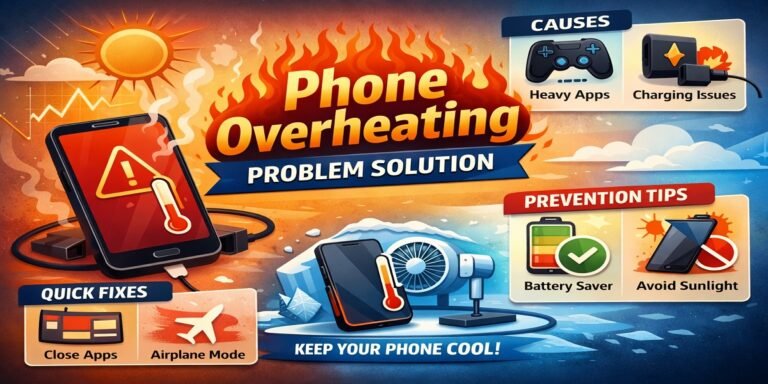
Overheating on smartphones is a common problem, regardless of whether the device is an iPhone or Android. When your phone becomes too hot, the performance can be slowed down, battery drains faster, and internal components may even become damaged over time. This guide will teach you how phones overheat and how to fix the problem.
Why do phones overheat?
It’s important to first understand the causes of the problem. Heat is a by-product of smartphones’ powerful operation. Heat that is excessive can indicate a problem.
1. Heavy App Usage
The processor of your phone can heat up rapidly when you run high-performance applications like video editing software, games or streaming services.
2. Background Processes
Even when you are not using the app, it continues to run in the background. This constant activity consumes power and produces heat.
3. Charge Issues
Overheating can occur if you use your phone to charge or if you are using a charger of low quality. The temperature can also be increased by fast charging.
4. Environmental Factors
The heat of the sun or hot weather can cause your phone to become very warm.
5. Software Bugs
Overheating can be caused by outdated software or bugged apps.
6. Battery Problems
Overheating is often caused by old or damaged batteries.
Signs Your Phone is Overheating
Early recognition of symptoms can prevent serious damage.
- The phone feels hotter than usual when you touch it
- Apps begin to lag or crash
- Battery drains quickly
- Automatically dim the screen
- Warning messages such as “Phone Temperature Too High”
Quick Fixes for Phone Overheating
Follow these immediate solutions if your phone has already overheated:
1. Remove the Phone Case
Cases for phones can trap heat. The heat can be dissipated faster by removing the phone case.
2. Close Background Apps
To reduce CPU load, close all apps that are currently running.
3. Turn On Airplane Mode
This reduces the heat generated by the network and disables it.
4. Use While Charging
Allow your phone to charge while not using it. This is especially important during fast charging.
5. Cool off in a cooler place
Avoid exposing your phone to sunlight or other hot environments.
Advanced Solutions to Fix Overheating
If the problem persists you will need to fix it deeper:
1. Update Your Software
Update your phone regularly. Updates can fix bugs that lead to overheating.
2. Uninstall problematic Apps
Some apps are not optimized well. Uninstall the app if your phone gets hot after you install it.
3. Reduce Screen Brightness
High brightness uses more energy and produces heat. Auto-brightness is the best option.
4. Disable unnecessary features
Turn off features such as:
- Bluetooth
- GPS (Location Service)
- When not in use, Wi-Fi is disabled
5. Clear Cache Data
Cache data can cause performance problems. Cache clearing improves performance.
6. Reset Your Phone
Perform a factory reset if nothing else works. This will remove all bugs from the phone and restore it to its original condition. Back up all your data before you begin.
How to Prevent Phone Overheating
Prevention is better than cure. Keep your phone cool by following these tips:
1. Don’t play for long hours if you don’t want to get addicted
Playing games should be interrupted to avoid excessive heat.
2. Charge Original Charger
Use only the original or certified charger.
3. Keep Storage Clean
Full storage increases heat and slows your phone. At least 20% of your storage should be free.
4. Enable battery saver mode
Battery Saver reduces background activities and CPU usage.
5. Keep your apps updated
The updated apps consume less resources and are optimized.
6. Avoid Direct Sunlight
Never leave your mobile phone in direct sunlight or a hot vehicle.
Phone Overheating While Charging (Special Fix)
Many users face overheating during charging. How to fix the problem:
- Charge your phone in airplane mode
- Use the phone only when it is charging
- Take off thick phone cases
- If not required, turn off the fast charging.
- Charge in a cool and ventilated place
Overheating During Gaming – What to Do?
Overheating is a common problem when playing games. Follow these tips.
- Reduce graphics settings for games
- Close all background applications
- Use the game booster mode
- Breaks every 30-40 minutes
- Charges while playing
When to Replace Your Phone Battery
Your battery could be the problem if your phone is heating up frequently. Replace it if you:
- Battery drains extremely fast
- Phone heats up even during light usage
- The device is older than 2 to 3 years
Damaged batteries can be hazardous.
Common Myths About Phone Overheating
Myth 1 Cooling apps work
The majority of cooling apps don’t actually cool down your phone. They simply close background applications.
Myth 2: Placing Phone in Fridge Will Help
This is dangerous. Sudden temperature change can damage internal components.
Myth 3: Only old phones overheat
Misuse of a new phone can cause it to overheat.
Best Apps to Monitor Phone Temperature
Apps can monitor the temperature of your device, but they cannot cool it.
- CPU Monitor
- AccuBattery
- Device Info HW
These apps provide insight into battery and CPU health.
Final Thoughts
Overheating your phone is a serious problem, but you can manage it if you take the right steps. There are many different ways to cool your phone, from simple solutions such as closing apps or reducing brightness, to more advanced ones like resetting the device.
Understanding the causes and taking preventive steps is key. Maintaining your phone will improve its performance and extend its life. You can also avoid expensive repairs by maintaining it properly.
FAQs About Phone Overheating
1. What is normal when a phone gets hot?
It is normal to feel a slight heat, particularly when playing games or charging. Excessive heat is not normal.
2. Can overheating damage my phone?
Yes, prolonged heating can damage internal components and the battery.
3. How hot can a phone get?
Any temperature above 45degC can be dangerous.
4. Does fast charging cause overheating?
The temperature can rise slightly but not excessively when using a quality charger.
5. Should I stop using my mobile if it gets too hot?
You can use it again after allowing it to cool.
Conclusion
Overheating can be a problem, but it is easily fixable. Follow the tips and solutions in this guide to ensure that your phone remains cool, efficient and durable. Remember: smart use leads to smart device experiences.