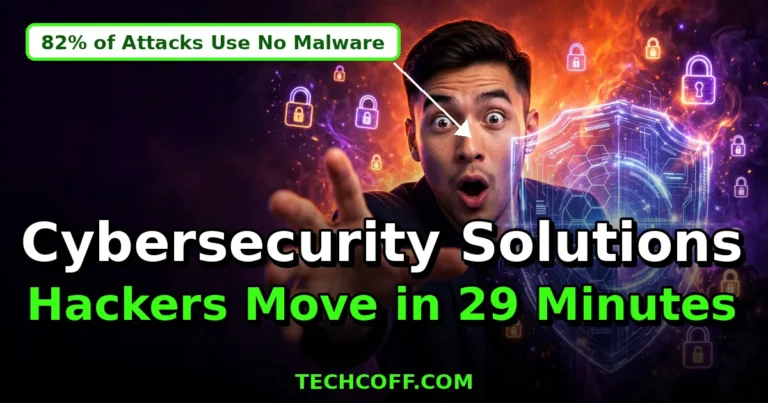
Attackers now break out of a single compromised computer and move sideways through a business network in 29 minutes on average — the fastest breakout CrowdStrike observed in 2025 took just 27 seconds. Most companies still take days or weeks to notice an intruder is inside. That speed gap is why cybersecurity solutions matter more in 2026 than ever before.
This guide explains what cybersecurity solutions actually are, which ones your business needs, what they cost, and how to put them in place without hiring a full security team. Whether you run a 10-person firm or a 500-person company, you will leave with a clear, practical plan.
Why Cybersecurity Solutions Matter More in 2026
The threat landscape did not just get worse in 2025 — it got faster. Three headline reports tell the story:
- Attacks move in minutes, not days. CrowdStrike’s 2026 Global Threat Report found the average eCrime breakout time fell to 29 minutes in 2025, down from 48 minutes the year before. In one intrusion, data theft began within four minutes of the first click. And 82% of the intrusions CrowdStrike investigated involved no malware at all — attackers simply logged in with stolen credentials and used legitimate admin tools.
- Breaches are everywhere. Verizon’s 2026 Data Breach Investigations Report analyzed more than 31,000 security incidents and over 22,000 confirmed breaches across 145 countries. Ransomware appeared in 48% of all breaches, and third-party involvement jumped 60% in a single year to reach 48% of breaches. Your vendors can now be your weakest link.
- Breaches cost more than ever. IBM’s Cost of a Data Breach Report 2025 put the global average breach cost at $4.44 million, while the average US breach hit a record $10.22 million. IBM’s 2026 report pushed the global average to a new record of $4.99 million, with the US average at $11.5 million. For organizations with fewer than 500 employees, IBM puts the average breach cost at $3.31 million — a figure that can end a small business.
Small businesses are not too small to target. Verizon’s 2025 report found ransomware in 88% of breaches at small and mid-sized businesses, versus 39% at large enterprises — attackers pick small firms because their defenses are thinner. The good news: 69% of ransomware victims in the 2026 Verizon data refused to pay, and the median payment fell to $139,875.
What Are Cybersecurity Solutions?
Cybersecurity solutions are the tools, services, and processes that protect your digital assets — your computers, networks, cloud accounts, customer data, and email — from unauthorized access, theft, and disruption. No single product does the job. Real protection comes from layers that back each other up, so that when one layer fails, the next one catches the attack.
Think of it like securing a building: a firewall is the locked front door, endpoint protection is the alarm on every window, MFA is the badge reader on the inner doors, backups are the fireproof safe, and training teaches everyone not to hold the door open for strangers.
The 9 Essential Cybersecurity Solutions for 2026
These nine solutions form the core stack for a US small or mid-sized business in 2026. You do not need all nine on day one — but you should know where each one fits, and in what order to add them.
1. Endpoint Protection (EDR)
Every laptop, desktop, and server is an endpoint — a door into your network. Modern endpoint detection and response (EDR) tools watch device behavior in real time, block suspicious activity, and isolate an infected machine automatically, in seconds. That speed matters when the average breakout time is 29 minutes.
Traditional antivirus only recognizes known malware signatures. EDR catches the behavior instead — a Word document launching PowerShell, a login at 3 a.m. from a new country — and since 82% of 2025 intrusions were malware-free, signature-only antivirus is no longer enough. Leading options include Microsoft Defender for Business (about $3 per user per month, included in Microsoft 365 Business Premium), CrowdStrike Falcon Go (from $59.99 per device per year), and SentinelOne Singularity Complete ($179.99 per endpoint per year). Confirm current pricing on each vendor’s site before buying. Learn more in our guide on why endpoint security is essential.
2. Next-Generation Firewall
A firewall sits between your office network and the internet, blocking unauthorized traffic. A next-generation firewall (NGFW) goes further: it inspects the content of traffic, blocks known malicious sites and applications, and stops intrusion attempts before they reach your devices. Many small businesses skip the hardware and use cloud-based DNS filtering instead — Cloudflare, Zscaler, or Cisco Umbrella block malicious domains before staff can load them. Either way, no device should reach the open internet without a filter in front of it.
3. Email Security and Anti-Phishing
Email remains the front door for attackers. Phishing was the initial access vector in 16% of breaches in Verizon’s 2026 report, and the FBI logged 191,561 phishing and spoofing complaints in 2025 — more than any other crime type. IBM’s 2025 report found phishing-initiated breaches averaged about $4.8 million.
AI has made phishing harder to spot: messages are grammatically perfect, personalized with details scraped from LinkedIn, and sometimes arrive as voice calls or QR codes — Microsoft recorded more than 145 million QR-code phishing attacks between July 2025 and June 2026.
Defend with an email security gateway (Microsoft Defender for Office 365, Proofpoint, or Mimecast) that scans links and attachments before delivery, plus SPF, DKIM, and DMARC records so attackers cannot spoof your domain. Also enable MFA on Gmail and Microsoft accounts and use unique passwords for each.
4. Identity and Access Management (IAM) with Phishing-Resistant MFA
Stolen credentials are the connective tissue of almost every breach. Credential abuse appeared somewhere in the attack chain in 39% of breaches in Verizon’s 2026 report, and it was the leading root cause of ransomware attacks against small and mid-sized businesses. The fix: multi-factor authentication (MFA) on every account, starting with email, banking, and cloud admin accounts.
But not all MFA is equal. Attackers now run adversary-in-the-middle phishing pages that steal session cookies and defeat SMS codes and push notifications. The 2026 standard is phishing-resistant MFA: hardware security keys (like YubiKey) or passkeys, which cannot be phished even if an employee clicks a fake login page.
Pair MFA with the basics: unique passwords in a password manager (Bitwarden, 1Password, or Dashlane), no shared logins, and separate admin accounts. Remove access the day an employee leaves — orphaned accounts are a favorite attacker entry point.
5. Zero Trust Network Access
Zero trust is a simple idea with a big payoff: never trust a device or user just because they are “inside” the network. Every access request is verified — who you are, what device you are on, and whether that device is healthy — before you reach any application or file.
Remote work, cloud apps, and contractors mean there is no longer a clear “inside” to defend. With third-party involvement in 48% of breaches in 2026 (Verizon), a partner’s compromised laptop should never get a free pass into your systems.
For a small business, zero trust does not require an enterprise project. Start with three moves: put cloud apps behind single sign-on with MFA, replace your old VPN with a zero trust network access tool (Cloudflare Access, Zscaler Private Access, or Palo Alto Prisma Access), and segment your network so a breach cannot spread. Our explainer on the zero trust security model walks through each step in plain English.
6. Cloud Security
Most US small businesses now run on Microsoft 365, Google Workspace, or Amazon Web Services — and misconfigured cloud settings are one of the most common ways data leaks. Cloud security means locking down those settings: MFA on every admin account, least-privilege permissions, encryption for stored data, and alerts for unusual activity like mass downloads or logins from new locations.
Cloud providers give you powerful security tools but do not turn them on for you. Microsoft’s Secure Score and Google’s Security Health checklists flag your gaps for free, and if you store data in AWS or Azure, review bucket permissions quarterly — a public bucket is one of the most embarrassing ways to lose data. See our cloud security best practices checklist.
7. Data Backup and Ransomware Recovery
Backups turn a ransomware disaster into a bad afternoon. Sophos found in its 2025 State of Ransomware report that the median ransom demand was $1.32 million and the median payment was $1 million — but organizations with clean, tested backups could simply restore and refuse to pay. Recovery costs still averaged $1.53 million per incident, so prevention matters too, but backups make “we don’t negotiate” a real policy.
Follow the 3-2-1 rule: three copies of your data, on two different media types, with one copy off-site and offline (immutable or air-gapped, so ransomware cannot encrypt it too). Test a restore at least once a quarter — an untested backup is a hope, not a plan. See our roundup of the best ransomware protection software for small businesses.
8. Managed Detection and Response (MDR)
Tools alone do not stop attacks — someone has to watch the alerts. Managed detection and response (MDR) is a service where security analysts monitor your systems 24/7, investigate suspicious activity, and isolate threats for you.
MDR makes the most sense for businesses with 20 or more employees, or any business handling sensitive data (healthcare, finance, legal) without a full-time security hire. Providers include CrowdStrike Falcon Complete (quote-only), SentinelOne Vigilance, Arctic Wolf, and Huntress — popular with small US firms and priced per endpoint. If your cyber insurance requires 24/7 monitoring, MDR is usually how you satisfy it.
9. Security Awareness Training
The human element was present in 62% of breaches in Verizon’s 2026 report — up from 60% the year before. Short, regular training beats a once-a-year slide deck: monthly simulated phishing emails, 5-minute videos on new scams, and a rule that anyone can report a suspicious message without embarrassment.
Measure results, not attendance. Track your phishing simulation click rate month over month — a good program drives it from 20–30% down to under 5% within a year.
How to Choose the Right Cybersecurity Solutions for Your Business
The right stack depends on your size, your data, and your budget — not on buying the most expensive product on the market. Use this guide:
- Solo and micro businesses (1–10 people): Start with the essentials: EDR on every device, MFA everywhere, a password manager, email filtering, and automated cloud backups. Budget roughly $30–$60 per user per month for the full stack.
- Small businesses (11–50 people): Add a firewall or DNS filter, a password manager for the whole team, security awareness training, and a written incident response plan. Consider MDR if you handle customer financial or health data. Budget roughly $60–$150 per user per month, including managed services.
- Mid-sized businesses (51–500 people): Add zero trust network access, centralized log monitoring, vulnerability management with fast patching (Verizon found organizations now take a median of 43 days to fully fix known exploited vulnerabilities — attackers do not wait that long), and an annual penetration test.
When comparing vendors, ask four questions: Does it integrate with the tools you already use? Does it work without a dedicated admin? Is the pricing per user or per device — and what does it cost at your actual headcount? And what happens at 2 a.m. when something goes wrong — do you get an alert, or does the vendor respond for you? For a broader view of the threats you are defending against, read our guide to cybersecurity threats and solutions.
What Do Cybersecurity Solutions Cost in 2026?
Prices below are published list prices checked in November 2026 — always confirm the current rate on the vendor’s pricing page, since discounts and bundles change often.
| Solution | Typical Starting Price (2026) | Best For |
|---|---|---|
| Microsoft Defender for Business | $3 per user/month standalone; included in Microsoft 365 Business Premium | Small businesses already on Microsoft 365 |
| CrowdStrike Falcon Go | $59.99 per device/year | Small businesses wanting enterprise-grade protection |
| CrowdStrike Falcon Enterprise (with EDR) | $184.99 per device/year | Mid-sized businesses needing detection and threat hunting |
| SentinelOne Singularity Complete | $179.99 per endpoint/year | Businesses wanting EDR with rollback features |
| Managed detection and response (MDR) | Quote-only, typically $100–$300 per endpoint/year | Businesses without in-house security staff |
For most small businesses, the full stack lands between $30 and $150 per user per month. Compare that with the average breach cost of $3.31 million for organizations under 500 employees and the math is clear: prevention is the cheapest line item in cybersecurity.
Common Mistakes That Leave Businesses Exposed
- Treating antivirus as a complete solution. Antivirus is one layer. Without MFA, backups, and patching, it is a locked front door with the windows open.
- Delaying patches. Vulnerability exploitation is now the top way attackers get in — 31% of breaches in Verizon’s 2026 report. Enable automatic updates and patch internet-facing software within days.
- Reusing passwords across accounts. One breached password can unlock email, banking, and cloud storage. A password manager fixes this in an afternoon.
- Skipping backups — or never testing them. Ransomware specifically hunts for backups first. Immutable, off-site copies and quarterly restore tests are non-negotiable.
- Ignoring third-party risk. With third-party involvement in 48% of breaches, ask vendors about their security and limit what they can access.
- Buying tools nobody monitors. An alert nobody reads is the same as no alert. If you cannot staff monitoring, buy MDR.
- Forgetting the July 2024 CrowdStrike outage lesson. A faulty security update briefly disrupted millions of Windows systems worldwide. Test updates on a small group first and keep a rollback plan ready.
Your 30-Day Cybersecurity Action Plan
Follow this sequence to close the biggest gaps first:
- Days 1–3: Turn on MFA for every account, starting with email and banking. Switch to passkeys or hardware keys for admin accounts.
- Days 4–7: Install a password manager, generate unique passwords for every account, and remove shared logins.
- Days 8–14: Deploy EDR on every device and enable automatic updates everywhere.
- Days 15–21: Set up automated, off-site backups and test a full restore. Add SPF, DKIM, and DMARC to your domain.
- Days 22–30: Run your first phishing simulation, write a one-page incident response plan, and remove admin access from anyone who does not need it.
Frequently Asked Questions
What are the best cybersecurity solutions for a small business in 2026?
The best starting stack for a small business is endpoint protection (Microsoft Defender for Business or CrowdStrike Falcon Go), phishing-resistant MFA on every account, a password manager, email filtering, and automated off-site backups. Add security awareness training and managed detection and response as your budget grows. Pick tools that integrate with what you already have — Microsoft 365 or Google Workspace.
How much do cybersecurity solutions cost for a small business?
Most small businesses spend $30–$150 per user per month for a complete stack in 2026. Entry-level endpoint protection starts around $3 per user per month (Defender for Business) or $59.99 per device per year (CrowdStrike Falcon Go). Managed detection and response is quote-only and typically runs $100–$300 per endpoint per year — a fraction of the average $3.31 million breach cost for organizations under 500 employees.
Do small businesses really need cybersecurity solutions?
Yes. Verizon’s 2025 report found ransomware in 88% of breaches at small and mid-sized businesses, compared with 39% at large enterprises. Attackers target small firms because their defenses are thinner and they are more likely to pay. A single phishing email or unpatched vulnerability can cost a small business its customer data and its reputation.
What is the difference between antivirus and endpoint detection and response (EDR)?
Traditional antivirus blocks known malware using signature lists. EDR watches how programs behave in real time — blocking suspicious actions even when no known malware is involved — and can automatically isolate an infected device. With 82% of 2025 intrusions involving no malware at all (CrowdStrike 2026 report), EDR is now the business standard; basic antivirus is best suited to home use.
Conclusion: Start With the Basics, Then Build
Cybersecurity solutions are not a luxury for large enterprises — they are basic business infrastructure in 2026, as essential as insurance or accounting software. Attackers move in 29 minutes, breaches cost millions, and small businesses are targeted more than anyone. The fix is straightforward: MFA everywhere, endpoint protection on every device, tested backups, patched software, and a team that knows how to spot a phish.
Start with the 30-day plan above. If you want expert help choosing and deploying the right stack for your business, explore our services or contact us — and protect your digital assets before an attacker tests them for you.